Markdown
Package presentation/ui/markdown turns Markdown (GitHub flavored, parsed with goldmark) into views, e.g. for
texts from a CMS or answers of an AI model. RichText converts the Markdown to HTML and shows it in a
Rich Text, so lists, emphasis, tables and links work. Render without the RichText
option builds native views instead, but only supports headings, paragraphs, plain text and links.
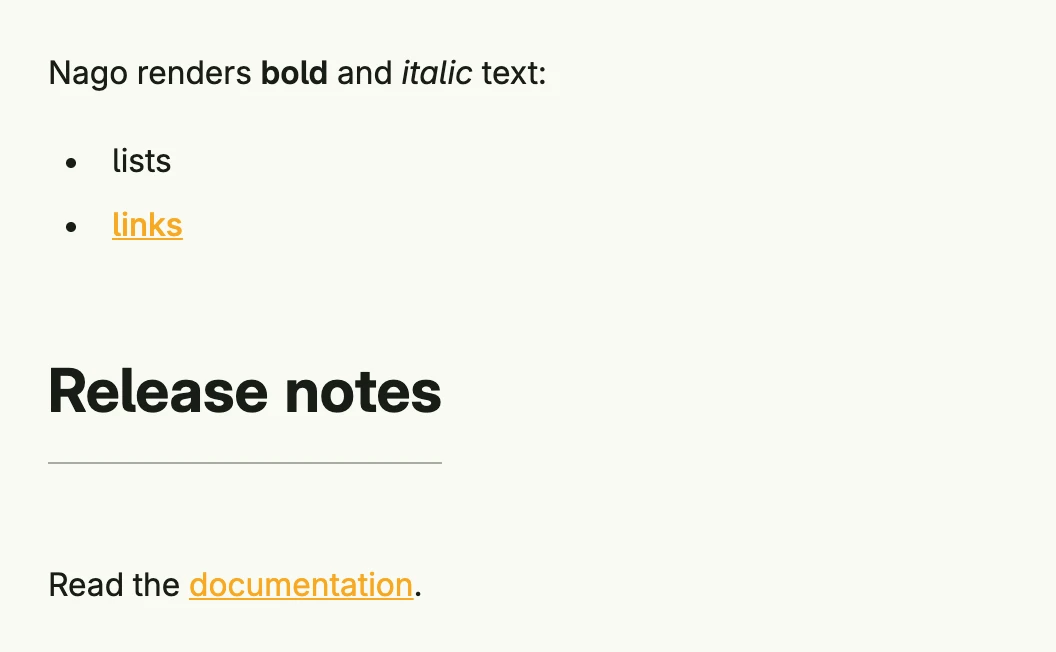
VStack(
	markdown.RichText("Nago renders **bold** and *italic* text:\n\n- lists\n- [links](https://www.nago.dev)"),
	markdown.Render(markdown.Options{Window: wnd}, []byte("## Release notes\n\nRead the [documentation](https://www.nago.dev).")),
).Alignment(Leading).Gap(L32).Frame(Frame{Width: L480})
markdown.Options has the fields Window (required for links in native views), RichText (render as HTML
instead of native views) and TrimParagraph (remove the enclosing paragraph of the HTML, so that a single line
needs no extra spacing). RichText sets both flags.
Constructors
| Constructor | Description |
|---|---|
func RichText(value string) ui.TRichText | RichText is a little helper factory to get some markdown text into a RichText. |
func Render(opts Options, source []byte) core.View | Render parses the given source as a markdown dialect and interprets it as views. |
Methods
The package has no component type of its own. RichText returns a ui.TRichText, see the methods of
Rich Text.
Related
- Rich Text, Rich Text Editor, Text
- Tutorials: AI