Custom Dialog
ui.Dialog is the plain dialog box with a title, a body and a footer, which Dialog uses internally.
Use it when the options of alert.Dialog are not enough, e.g. for a custom footer layout. It does not block the
background on its own: wrap it into a Modal and show it conditionally with If. Close it in
OnDismissRequest, which is called when the user dismisses the modal, e.g. by pressing Escape.
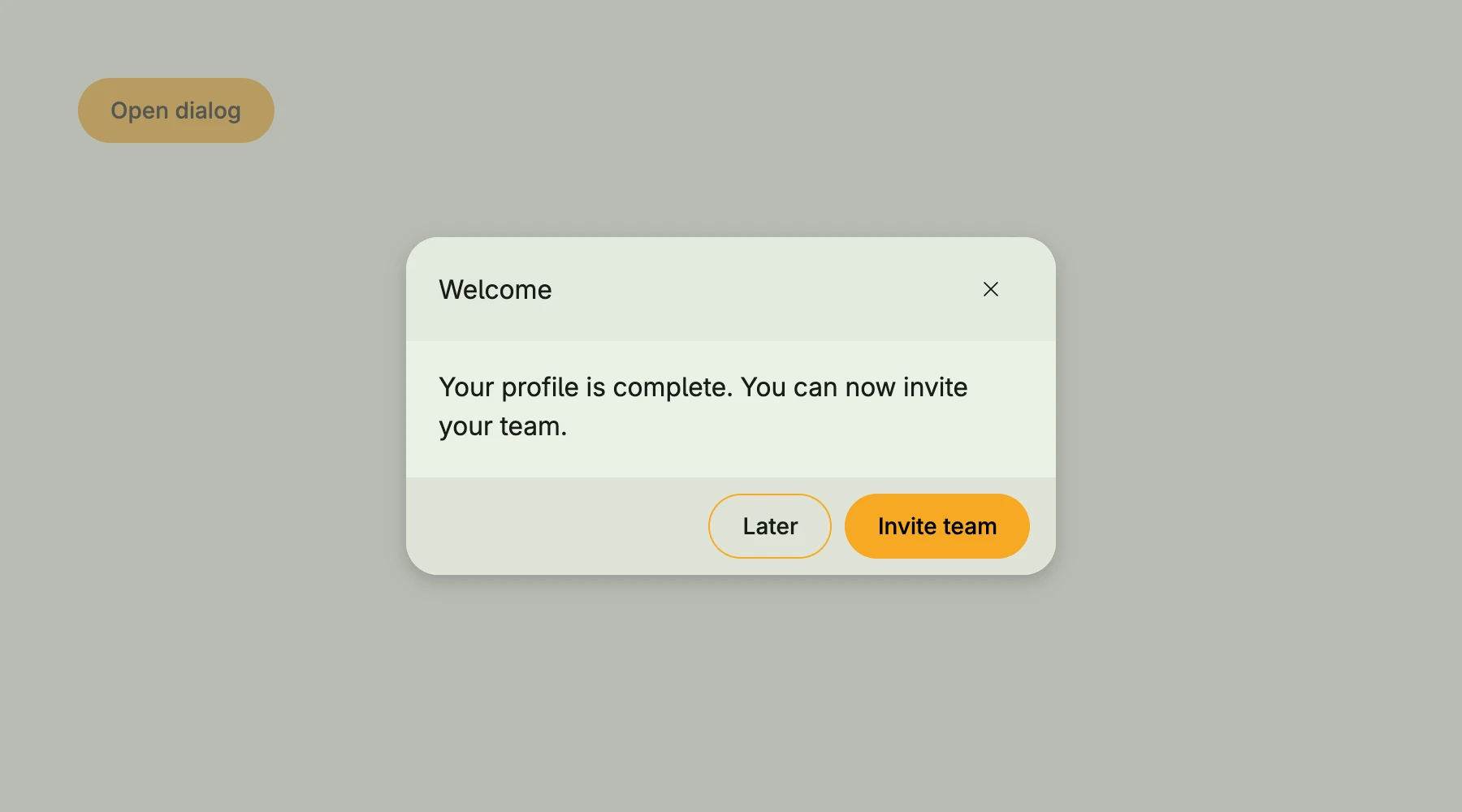
presented := core.AutoState[bool](wnd)
closeDlg := func() { presented.Set(false) }

VStack(
	If(presented.Get(), Modal(
		Dialog(Text("Your profile is complete. You can now invite your team.")).
			Title(Text("Welcome")).
			TitleX(TertiaryButton(closeDlg).PreIcon(icons.XMark)).
			Footer(HStack(
				SecondaryButton(closeDlg).Title("Later"),
				PrimaryButton(closeDlg).Title("Invite team"),
			).Gap(L8)),
	).OnDismissRequest(closeDlg)),
	PrimaryButton(func() { presented.Set(true) }).Title("Open dialog"),
)
Constructors
| Constructor | Description |
|---|---|
func Dialog(body core.View) TDialog | Creates a dialog with the given body, 400dp wide and at most the viewport height minus 12rem. |
Methods
| Method | Description |
|---|---|
Alignment(alignment Alignment) TDialog | Alignment sets the alignment of the dialog content. |
DisableBoxLayout(b bool) TDialog | DisableBoxLayout disables box layout handling for the dialog when set to true. |
Footer(footer core.View) TDialog | Footer sets the footer view of the dialog, typically used for action buttons. |
Frame(frame Frame) TDialog | Frame sets the layout frame of the dialog, including size and positioning. |
ModalPadding(padding Padding) TDialog | ModalPadding sets the padding around the dialog content. |
PreBody(v core.View) TDialog | PreBody sets an optional view that will be rendered before the main body. |
Title(title core.View) TDialog | Title sets the title view of the dialog, displayed at the top. |
TitleX(x core.View) TDialog | TitleX sets an additional title view, often used for actions or secondary title elements aligned differently from the main title. |
WithFrame(fn func(Frame) Frame) TDialog | WithFrame applies a transformation function to the dialog’s frame and returns the updated component. |
Related
- Dialog
- Modal
- Tutorials: Dialog, Dialogs and alerts