Modal
A modal places its content in a layer above the view. Modal centers the content and blocks the background, it is
the base of all dialogs. Overlay positions the content absolutely with Top, Left, Right and Bottom and
keeps the background usable, e.g. for popovers or hints. NotificationsOverlay is an overlay which stays in front
of other overlays, see Banner Messages. Show a modal conditionally with If.
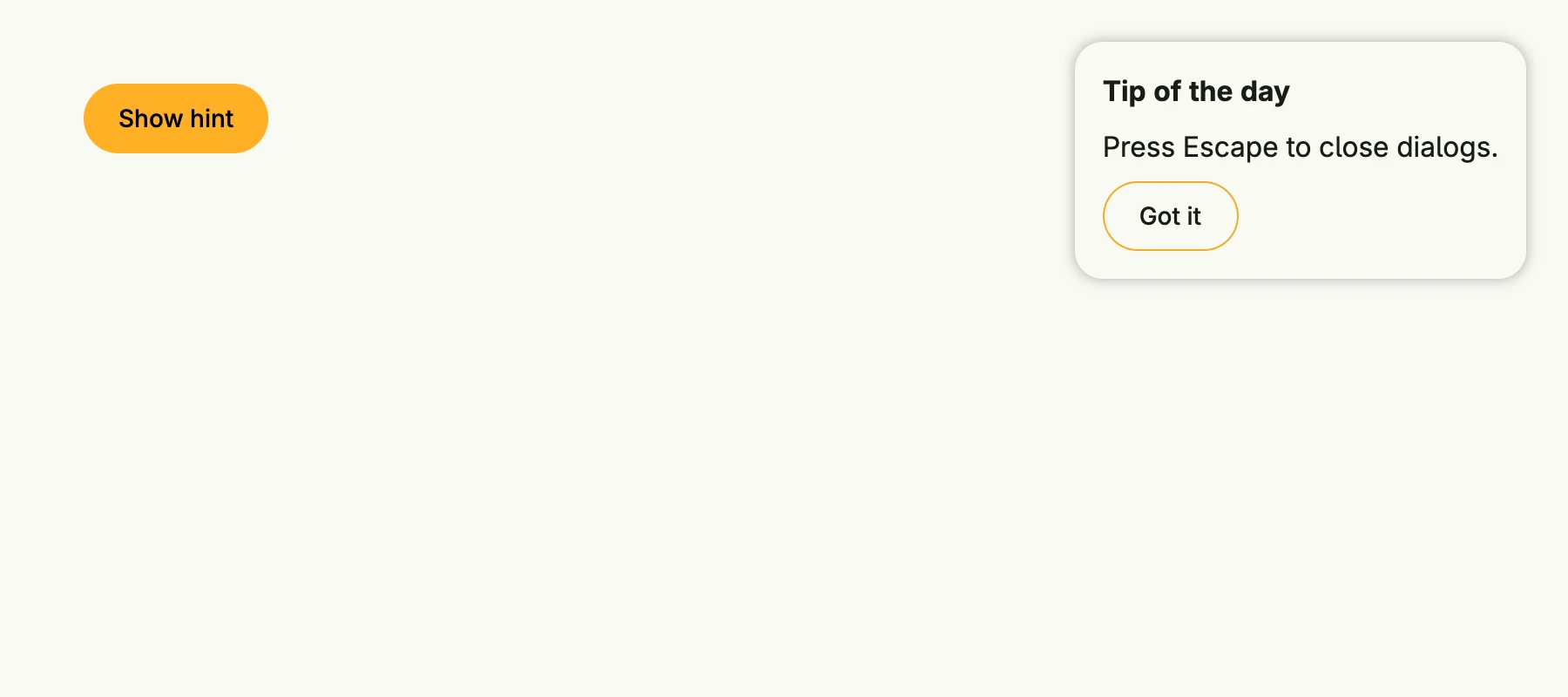
presented := core.AutoState[bool](wnd)

VStack(
	PrimaryButton(func() { presented.Set(true) }).Title("Show hint"),
	If(presented.Get(), Overlay(
		VStack(
			Text("Tip of the day").Font(SubTitle),
			Text("Press Escape to close dialogs."),
			SecondaryButton(func() { presented.Set(false) }).Title("Got it"),
		).Alignment(Leading).
			Gap(L8).
			BackgroundColor(M1).
			Border(Border{}.Radius(L16).Shadow(L8)).
			Padding(Padding{}.All(L16)),
	).Top(L24).Right(L24)),
)
Constructors
| Constructor | Description |
|---|---|
func Modal(content core.View) TModal | Modal places the content and blocks the background controls. |
func Overlay(content core.View) TModal | Places the content at absolute positions without blocking the background. |
func NotificationsOverlay(content core.View) TModal | Like Overlay, but positioned in front of other overlays. |
Methods
| Method | Description |
|---|---|
AllowBackgroundScrolling(allowBackgroundScrolling bool) TModal | AllowBackgroundScrolling configures whether background content can scroll while the modal is open. |
Bottom(bottom Length) TModal | Bottom sets the bottom offset of the modal. |
Left(left Length) TModal | Left sets the left offset of the modal. |
OnDismissRequest(fn func()) TModal | OnDismissRequest sets an event handler for the dismiss event. |
Right(right Length) TModal | Right sets the right offset of the modal. |
Top(top Length) TModal | Top sets the top offset of the modal. |
Related
- Custom Dialog
- Dialog
- Tutorials: Dialog, Dialogs and alerts