Position
A Position takes a component out of the normal layout flow and places it by offsets, like CSS positioning. Use it
for badges, overlays or freely arranged elements such as a schedule. An absolutely positioned child is placed
relative to the nearest parent with PositionOffset, or relative to the viewport if there is none.
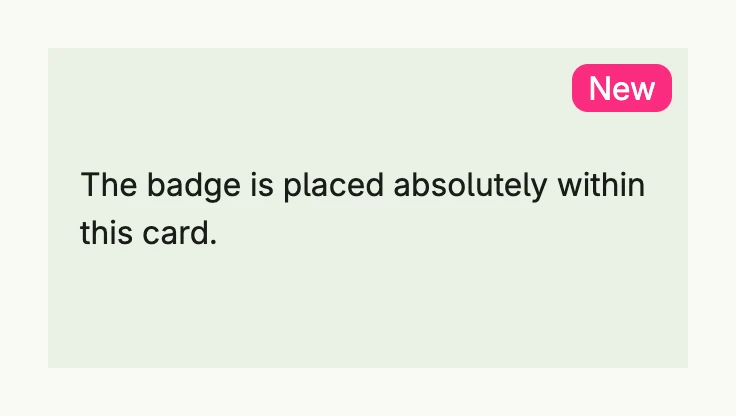
badge := HStack(Text("New").Color(ColorWhite)).
	Position(Position{Type: PositionAbsolute, Top: L8, Right: L8}).
	BackgroundColor("#FA2C7F").
	Padding(Padding{}.Horizontal(L8)).
	Border(Border{}.Radius(L8))

return VStack(
	Text("The badge is placed absolutely within this card."),
	badge,
).
	// the parent must use PositionOffset to become the anchor of absolute children
	Position(Position{Type: PositionOffset}).
	BackgroundColor(ColorCardBody).
	Padding(Padding{}.All(L16)).
	Frame(Frame{}.Size(L320, L160))
Fields
| Field | Description |
|---|---|
Type PositionType | How the offsets are applied, see below. |
Left, Top | Distance from the left or top border of the anchor. |
Right, Bottom | Distance from the right or bottom border of the anchor; alternatively set an explicit width or height. |
ZIndex int | Drawing order of positioned elements; a higher index is drawn on top. |
PositionType | Description |
|---|---|
PositionDefault | Normal layout; offsets have no effect. |
PositionOffset | Normal layout, then moved by the offsets. Also makes the element the anchor for absolute children. PositionRelative is an alias. |
PositionAbsolute | Removed from the layout and placed within the nearest PositionOffset parent. Its size is not accounted for in the parent, so give the parent a size. |
PositionFixed | Removed from the layout and placed relative to the viewport, independent of scrolling. |
PositionSticky | Exists for completeness; its behavior on mobile clients is unspecified. |
Position has no methods. VStack, HStack, ScrollView,
Tabs and other components accept it through their Position method.
Related
- Box for overlapping content without offsets, Frame
- Tutorials: Absolute positions, Flow chart