Theme Switcher
The theme switcher opens a menu at the given anchor view in which the user chooses the color scheme: light,
dark or the setting of the system. The choice is applied to the window with wnd.SetColorScheme immediately.
Put it into a toolbar or the menu of your Scaffold.
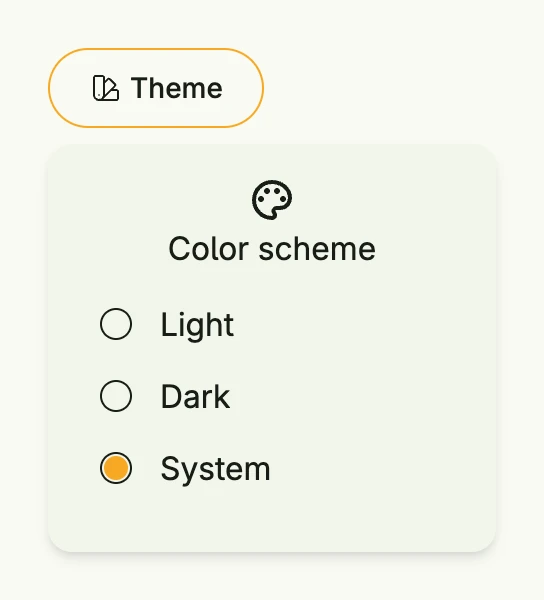
ThemeSwitcher(SecondaryButton(nil).PreIcon(icons.Swatch).Title("Theme"))The texts of the menu are the localized strings StrTheme, StrThemeLight, StrThemeDark and
StrThemeSystem of package ui.
Constructors
| Constructor | Description |
|---|---|
func ThemeSwitcher(anchor core.View) TThemeSwitcher | ThemeSwitcher creates a new theme switching menu with the given anchor. |
Methods
| Method | Description |
|---|---|
Frame(frame Frame) TThemeSwitcher | Frame sets the layout frame of the menu. |
Related
- Menu, Colors
- Concepts: Theming
- Tutorials: Theme switch, Scaffold