AI Management
AI Management connects your application to large language models. It provides provider-independent chat sessions with a persisted history, agentic runs with tools, and a ready-made assistant: a floating chat button on every page which acts with the permissions of the current user. Providers for Anthropic, OpenAI-compatible servers (including Ollama) and a local llama.cpp runtime are included.
Enable
import (
	cfgai "go.wdy.de/nago/application/ai/cfg"
	_ "go.wdy.de/nago/application/ai/provider/anthropic" // link each provider you want to offer
)

ai := std.Must(cfgai.Enable(cfg)) // cfgai.Management
Providers register themselves when their package is linked: blank-import
go.wdy.de/nago/application/ai/provider/anthropic, .../openai or .../gollama. AI Management enables
Secret and Settings Management and declares the system
role AI Assistant User.
cfgai.Management has the fields:
UseCases ai.UseCases: the configured providers,SessionUseCases session.UseCases: persisted chat sessions,Assistant *cfgai.Assistant: the ready-made assistant.
Configure a provider
- Create a secret of the provider type (e.g. Anthropic) with the API token in the vault.
- Share it with the group System.
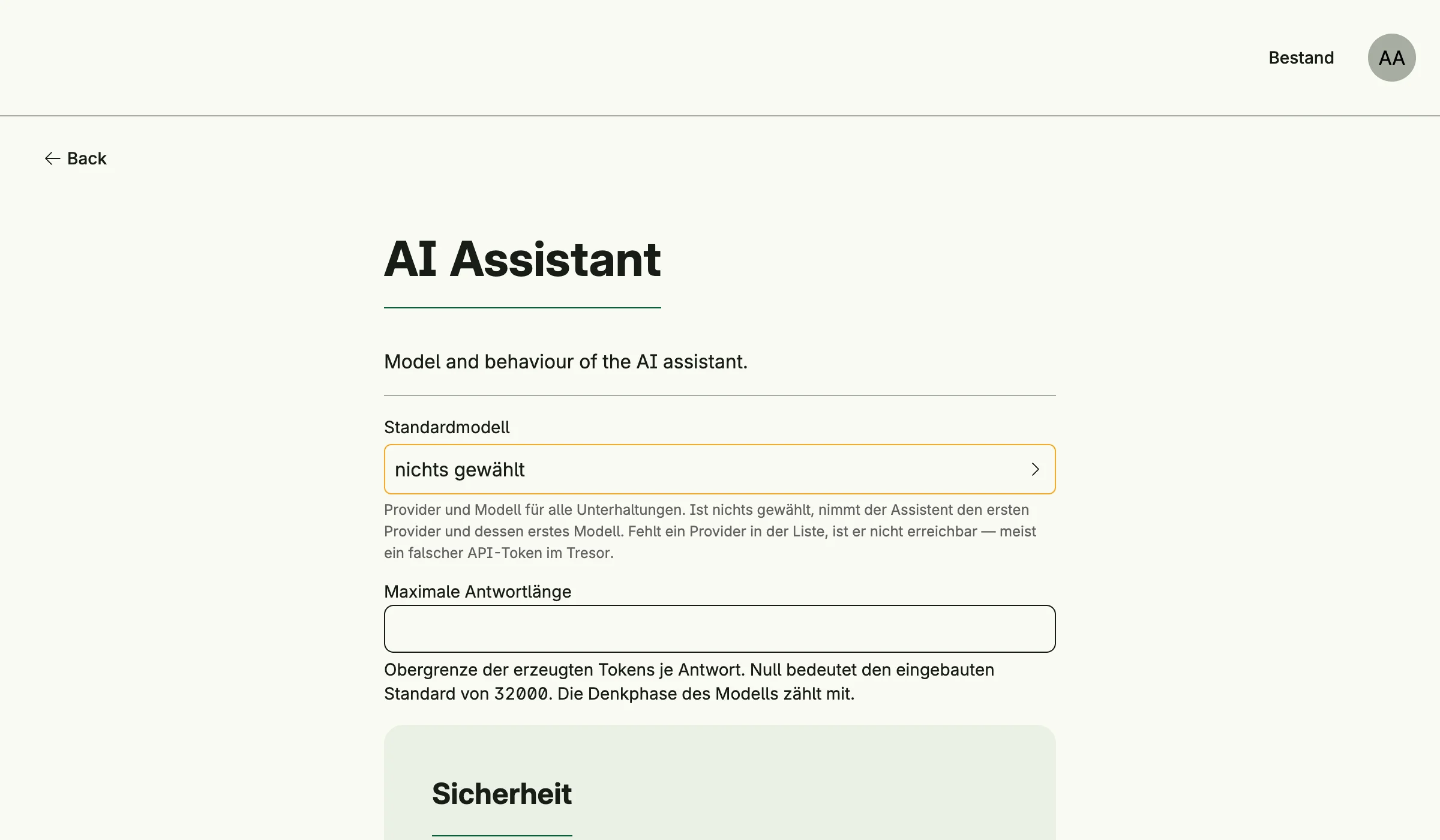
- Optionally choose the default model and limits in the admin center under Einstellungen → AI Assistant.
Providers are reloaded automatically when a secret changes.
Add the assistant
Decorate every page with the assistant button:
scaffold := cfg.NewScaffold().Decorator()
cfg.SetDecorator(func(wnd core.Window, view core.View) core.View {
	return scaffold(wnd, ai.Assistant.Decorate(wnd, view, cfgai.AssistantOptions{
		Title:   "Assistant",
		History: true,
	}))
})
AssistantOptions also sets agents with their tools and system prompts, file upload, confirmation of
mutating tools and the position of the button. Users need the role AI Assistant User
(cfgai.RoleAssistantUser); without it, without a provider or when an operator hides the assistant, the
view is returned unchanged and the reason is logged.
Use cases
| Use case | Description |
|---|---|
UseCases.FindAllProvider | Lists the configured providers. |
UseCases.FindProviderByID, FindProviderByName | Look up a provider. |
UseCases.ReloadProvider | Rebuilds the providers from the vault. |
SessionUseCases.Create | Creates a chat session. |
SessionUseCases.FindByID, FindAll | Load sessions visible to the subject. |
SessionUseCases.Append | Adds a user message and runs the completion, agentic when tools are set. |
SessionUseCases.Resolve | Answers a pending question or tool approval and continues. |
SessionUseCases.Dismiss | Closes pending decisions and cancels background tasks. |
SessionUseCases.Rename, Delete | Rename or delete a session. |
Permissions
| Permission | Allows to |
|---|---|
nago.ai.provider.find_all | list providers |
nago.ai.provider.find_by_id | view a provider |
nago.ai.provider.find_by_name | view a provider by name |
nago.ai.provider.reload | reload providers |
nago.ai.model.find_all | list models |
nago.ai.session.create | create sessions |
nago.ai.session.find_by_id | view a session |
nago.ai.session.find_all | list sessions |
nago.ai.session.append | send messages, answer decisions |
nago.ai.session.rename | rename sessions |
nago.ai.session.delete | delete sessions |
The system role nago.ai.assistant.user contains provider.find_all, model.find_all and
session.create. It grants no access to business data: the assistant acts with the permissions of its user.
Sessions are registered as a ReBAC resource.
UI
AI Management has no admin page of its own. Providers are configured in the vault, the assistant in the settings card AI Assistant.
Related
- Tutorial: AI shows sessions, agentic runs, file upload and drive tools.
- Tutorial: AI assistant adds the assistant to a complete application, together with requirements.