Data Import Management
Data Import Management provides tools to import structured and semi-structured data into the Nago ecosystem.
It allows mapping uploaded data to existing internal entities, such as users, enabling data reuse and synchronization across systems.
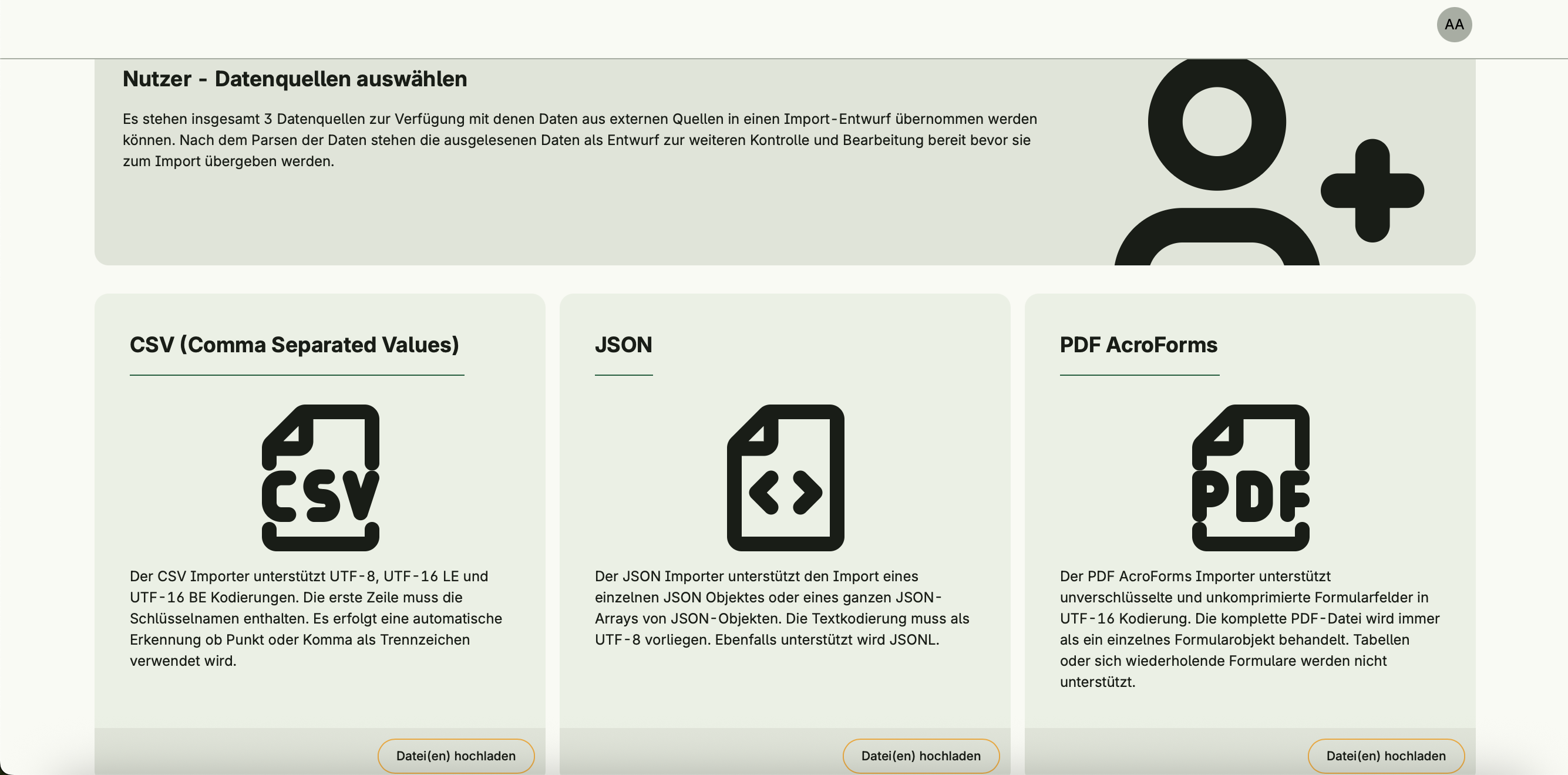
Therefore, it supports multiple data formats such as CSV, JSON and PDF AcroForms, and provides interactive tools for reviewing, transforming and importing data.
Data Import Management is designed for administrators and power users who need to import, validate, and align data with the internal structures of the Nago application.



Functional areas
Data Import Management provides the following key functions:
Data staging and review
- Upload and stage data from supported formats
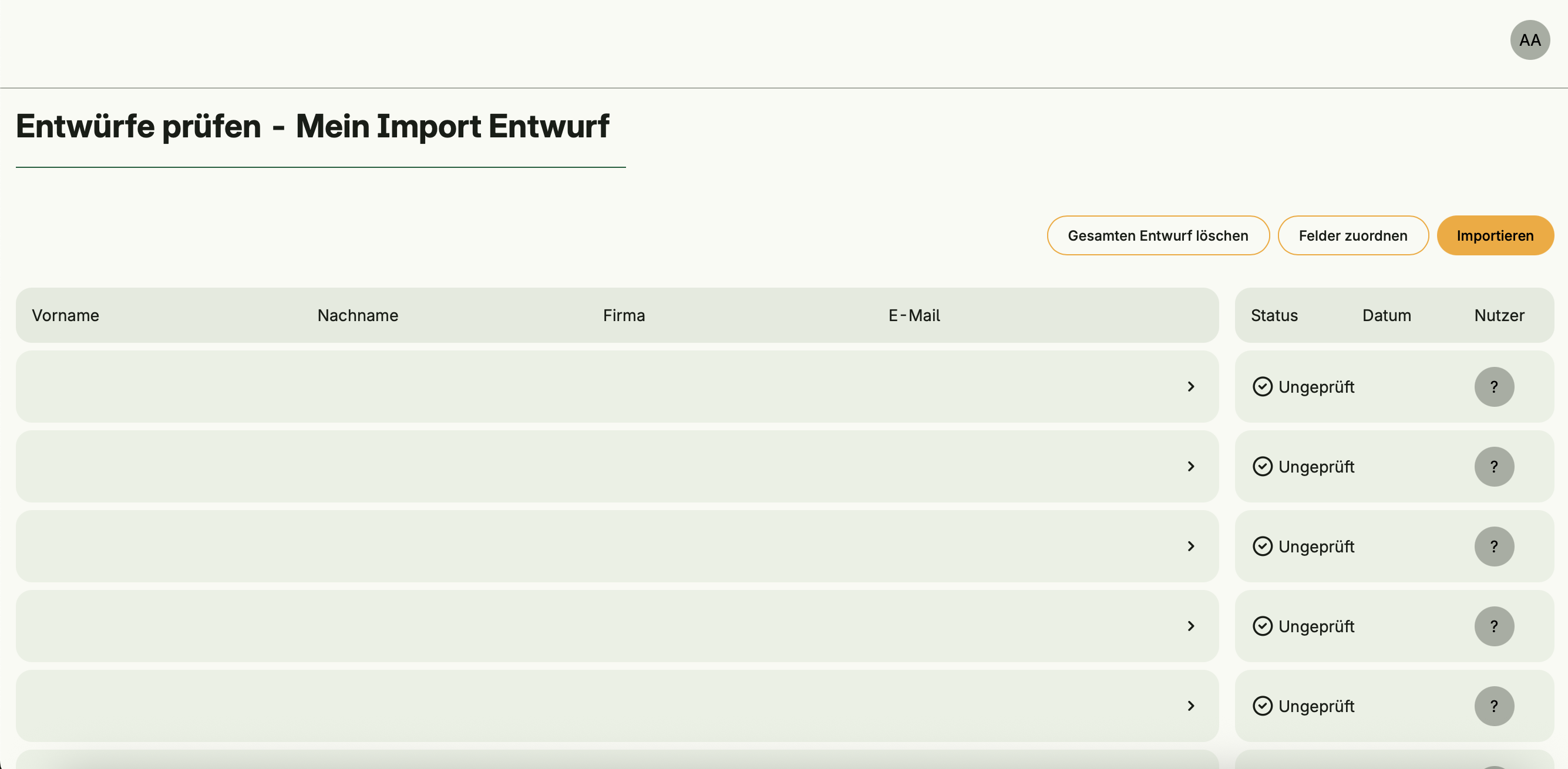
- Preview parsed records before importing
- Identify and resolve potential validation issues early
- Available data formats depend on which parsers are activated in the configuration
This allows the application to control which input formats (e.g., CSV, JSON, PDF AcroForms) are supported.
Parsers can be activated via:
option.MustZero(imports.UseCases.RegisterParser(user.SU(), csv.NewParser()))Field mapping
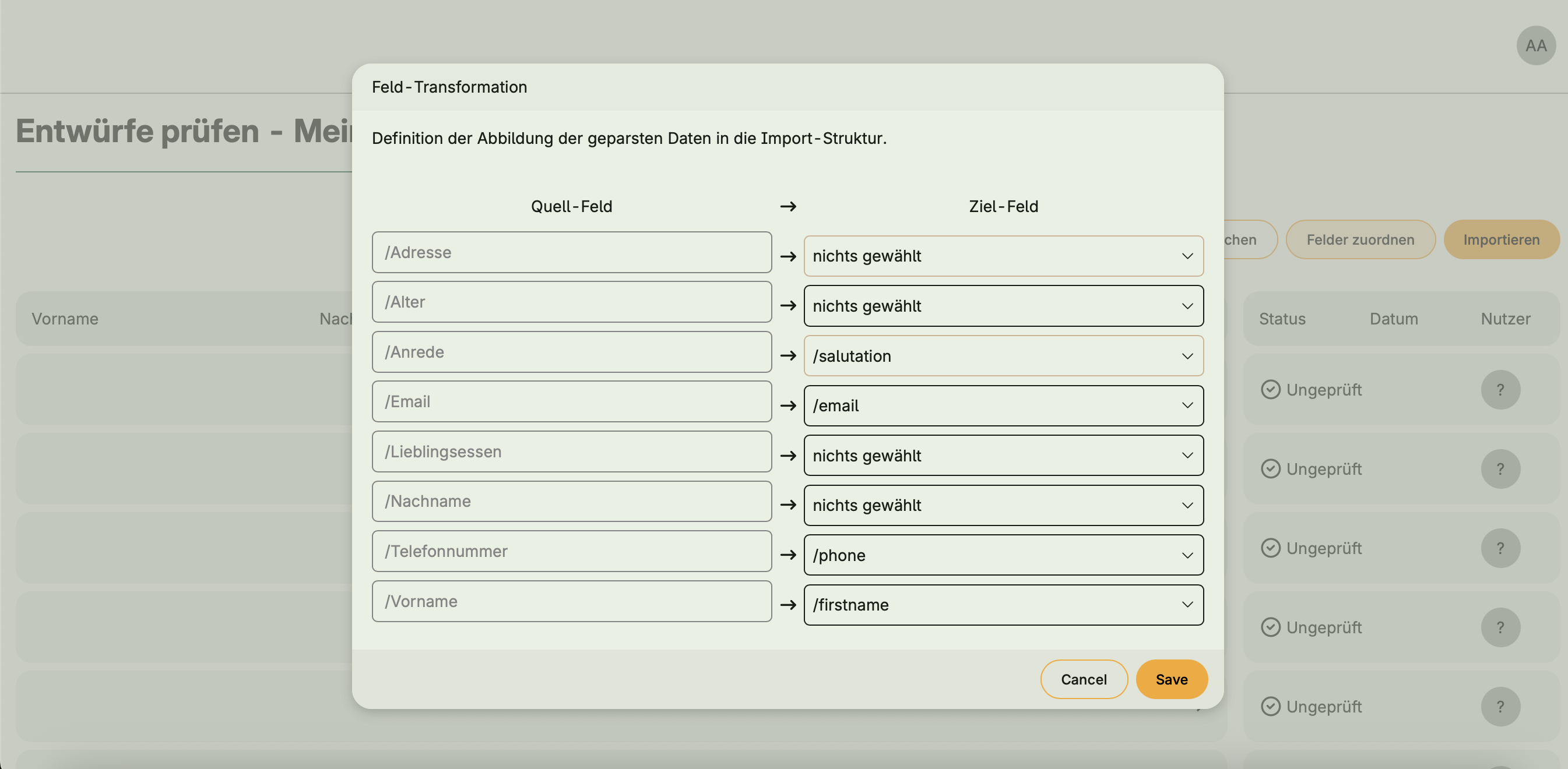
- Define a dedicated import schema for each uploaded file
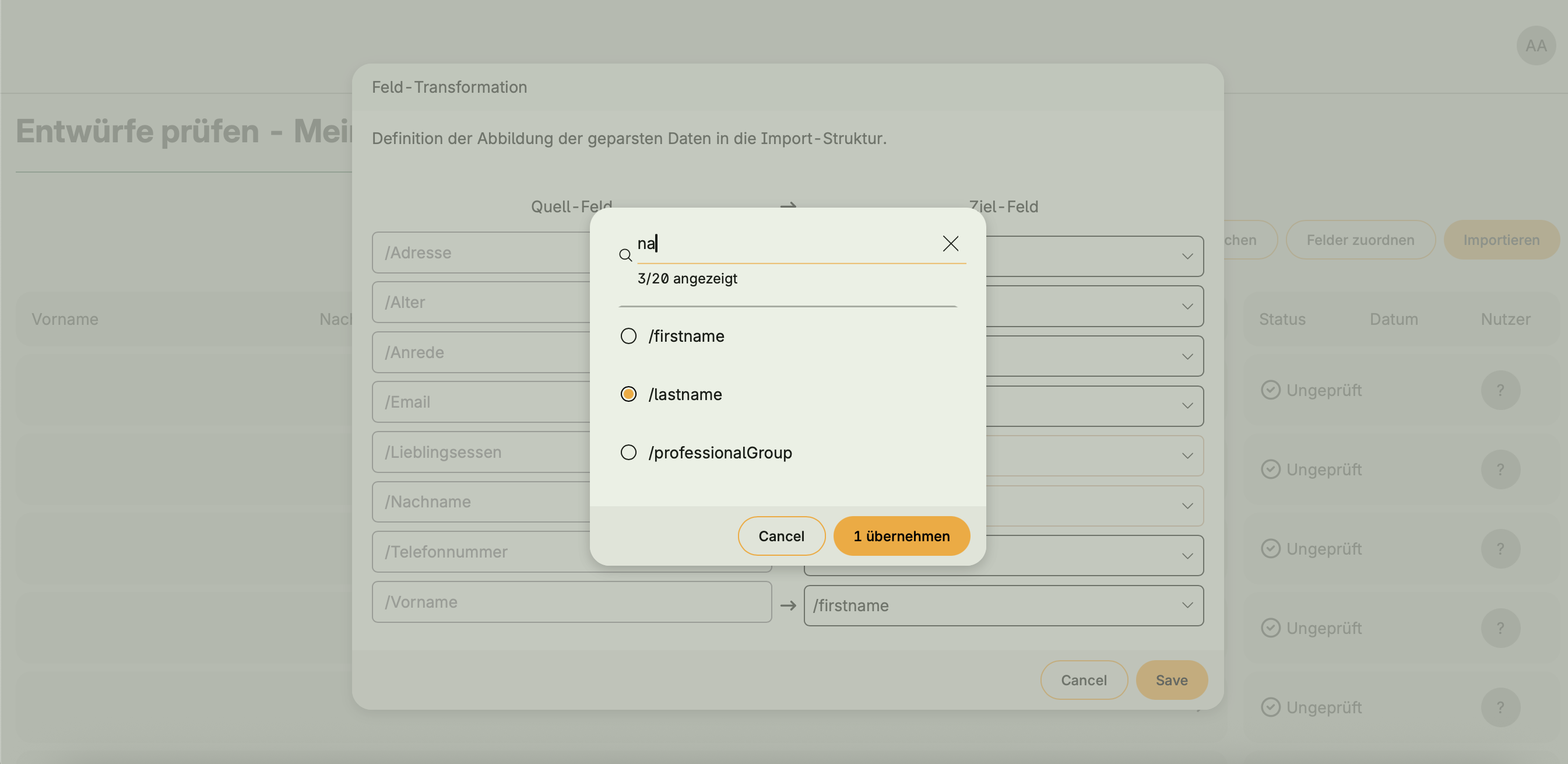
- Map imported data fields to existing entity attributes
- Automatically detect matching fields based on header names or structure
Validation and transformation
- Perform manual validation of imported data
- Apply custom transformation logic to adapt input before importing
- Detect conflicts (e.g., duplicates or missing required fields)
- Track import progress
Import execution
- Execute imports into existing repositories
- Review imported entities or error logs directly within the Admin Center
Functional Flow
Select Importer and Format
Users choose the import type (e.g., user import) and file format (CSV, JSON, PDF).Upload File
Depending on the parser configuration, supported file types can be uploaded directly.Field Mapping
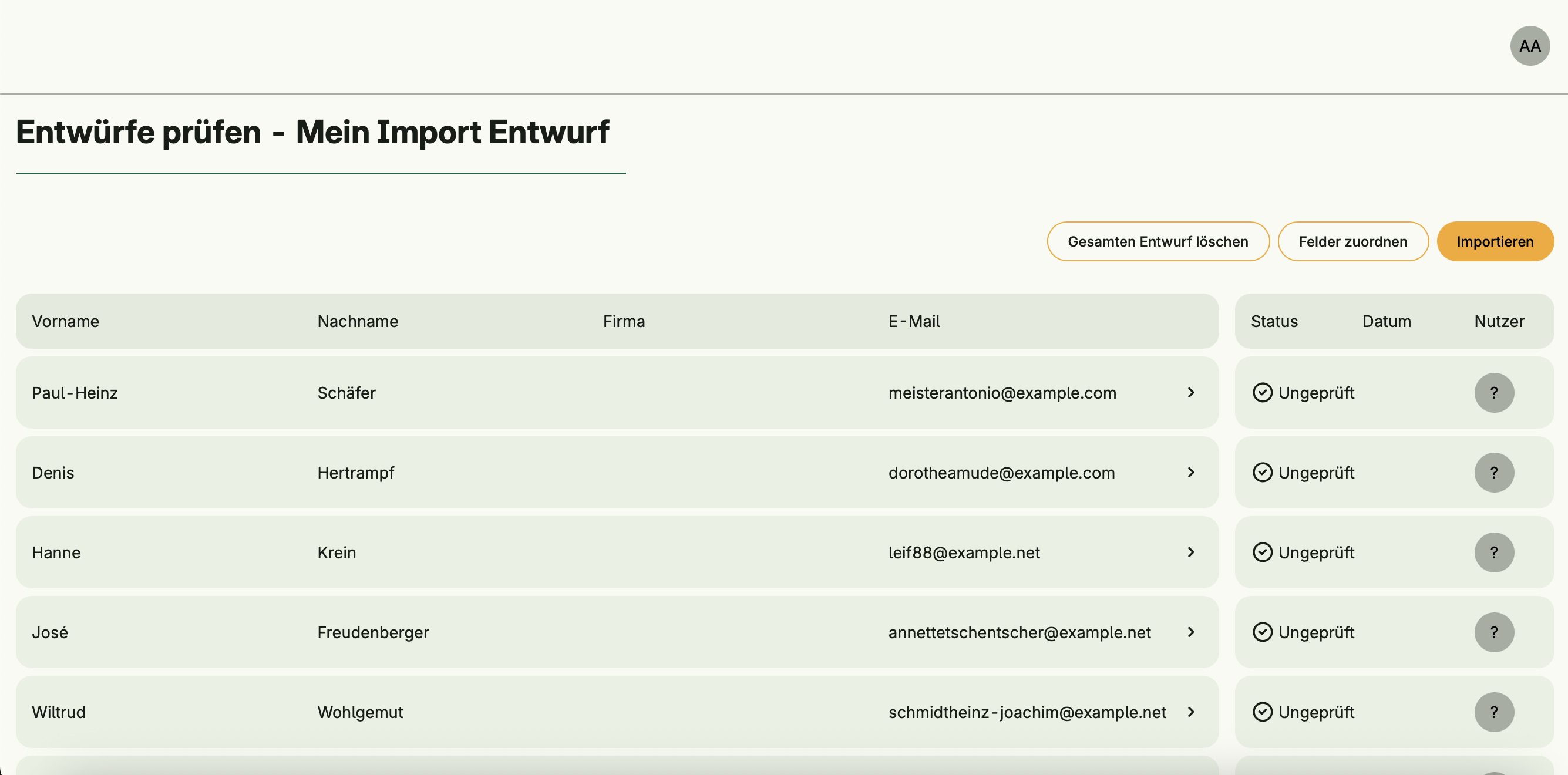
The uploaded data is automatically mapped to existing entity structures. Mappings can be reviewed, adjusted, or manually filled in for missing fields.Review Entries
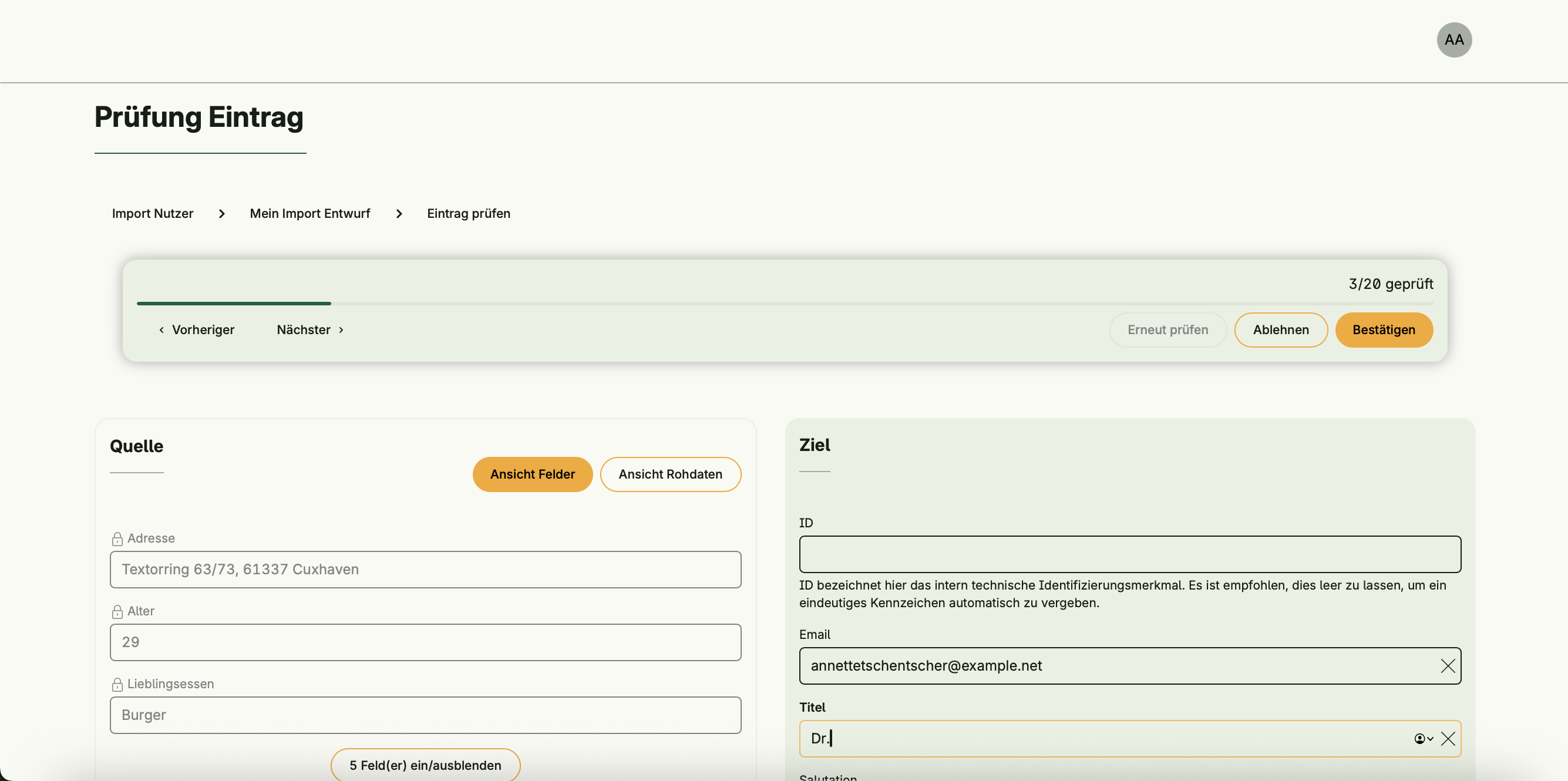
Each imported entry can be viewed side by side:- Raw input data
- Transformed application entity
Users can confirm or reject entries, navigate through records, and monitor progress.
Import Execution
Confirmed entries are imported into the system.
Options include continuing on errors and merging duplicates.
Merge behavior can be customized (e.g., whether new values override existing ones).


Extensibility
by implementing the
parser.Parser and importer.Importer interfaces.- Importer Interface — Defines how parsed data is imported into specific domain entities.
- Parser Interface — Defines how raw file content (CSV, JSON, etc.) is parsed into structured objects.
Dependencies
Data Import Management operates independently and does not depend on other systems.
Activation
This system is activated via:
importManagement := std.Must(cfgdataimport.Enable(cfg))The importer for user entities is activated via:
userManagementUCs := std.Must(cfg.UserManagement()).UseCases

option.MustZero(imports.UseCases.RegisterImporter(user.SU(), userimporter.NewImporter(userManagementUCs)))
option.MustZero(imports.UseCases.RegisterParser(user.SU(), csv.NewParser()))
option.MustZero(imports.UseCases.RegisterParser(user.SU(), pdf.NewParser()))
option.MustZero(imports.UseCases.RegisterParser(user.SU(), json.NewParser()))