Drive Management
Drive Management provides a file storage and file management system for Nago applications.
It offers a user-facing file browser (UI) and a backend API to upload, download, rename and delete files and folders.
Think of it as an integrated file-share similar in concept to SharePoint/OneDrive — but tailored to the Nago ecosystem and its permission model.
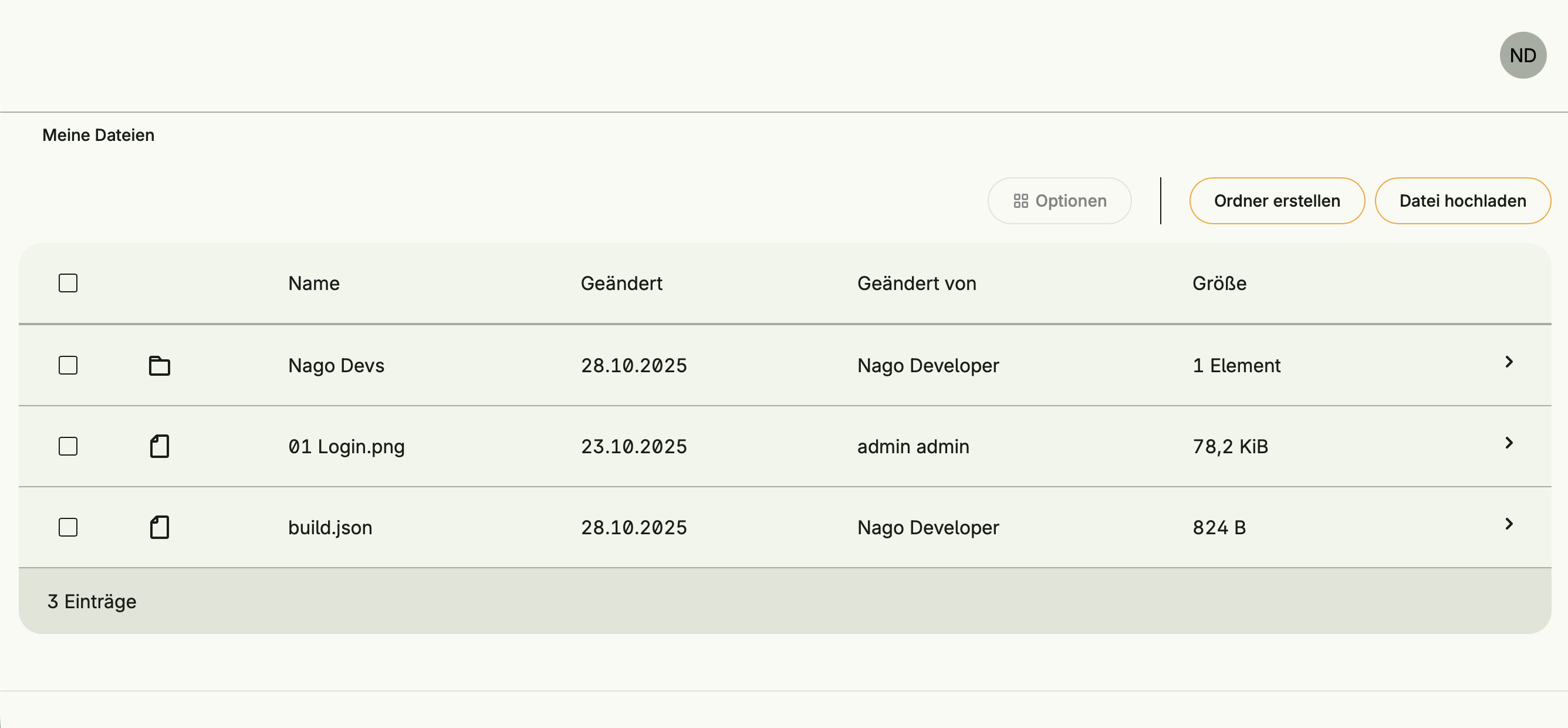
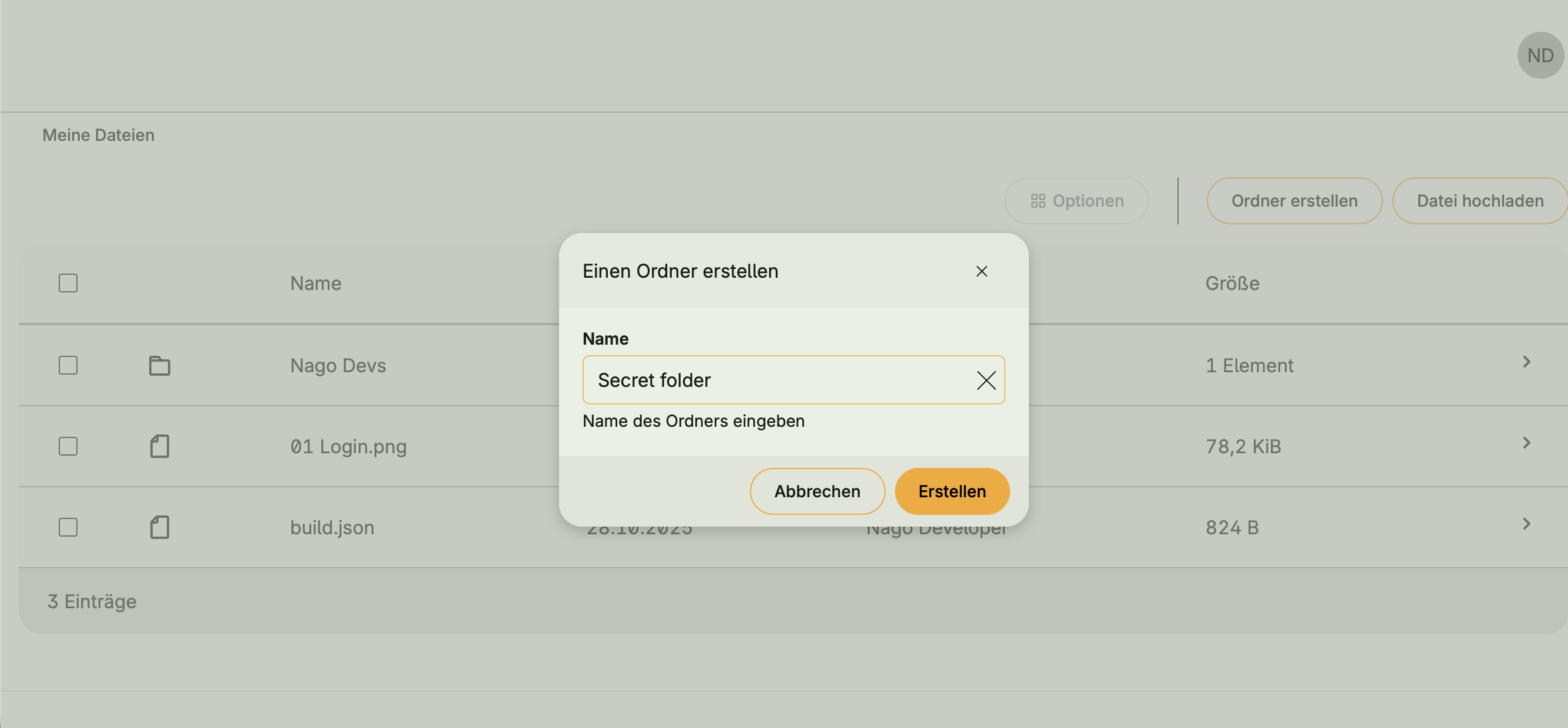
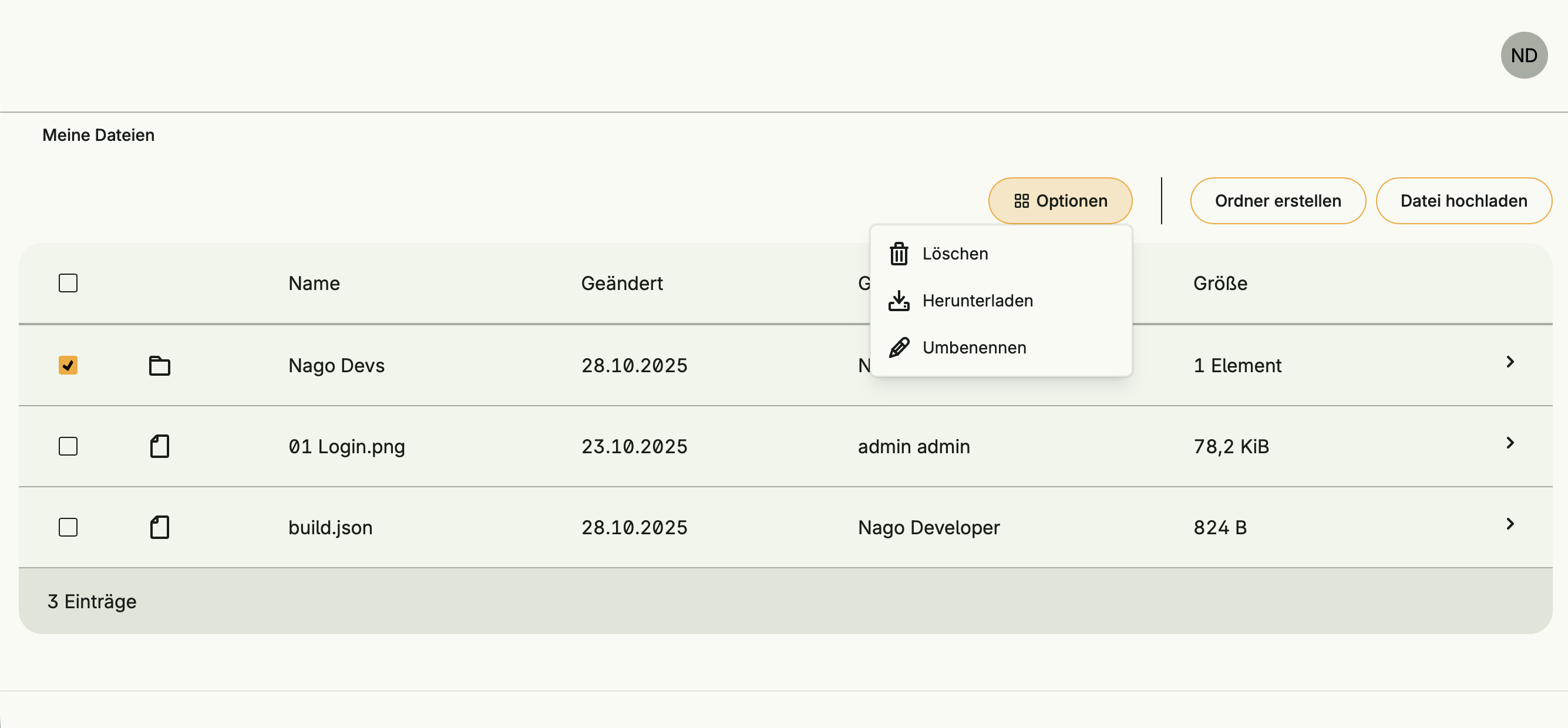
uidrive.PageDrive / TDrive is available to embed a file browser into application pages.Functional areas
Drive Management offers the following key functions:
File browsing and basic operations
- Browse folders and files with a simple file table (name, last modified, last-modifying user, size).
- Create directories and upload files from the UI or programmatically.
- Rename files and delete files or directories (delete supports recursive deletes).
Versioning
- The implementation records version events (
VersionAdded) when new content versions are written. Putsupports aKeepVersionoption to keep previous versions in the file’s audit log; these events are accessible via the file’sAuditLogandVersions()helper.
Ownership and access control
- Files have
Owner,GroupandFileModefields. Permission checks (CanRead,CanWrite,CanDelete,CanRename) use:- world-permission bits (
OtherRead,OtherWrite), - group membership + group permission bits,
- resource-level permissions via
subject.HasResourcePermission(repo.Name(), fileID, Perm*), - explicit shares (share objects listing allowed users and write flag).
- world-permission bits (
Restricting access to Drives, folders, or files
Access can be limited to certain users or groups using the Unix-style file mode (FileMode) and Group field.
Examples:
0770→ owner and group have full access, others no access0755→ owner full access, group and others can only read & execute The system checks both group membership and the corresponding permission bits to enforce restrictions.Permissions can be applied at:
- Drive root level: restricting who can upload or delete files in the Drive.
- Individual folders or files: allowing fine-grained control within a Drive.
Frontend and backend usage
- Frontend:
uidrive.PageDriveandTDriveprovide UI components to render a file browser, upload dialogs, create folder dialogs, rename/delete dialogs and breadcrumb navigation. - Backend: Use cases (constructed by
drive.NewUseCases) exposeOpenRoot,Stat,Put,MkDir,Delete,Zip,Get,Rename, and other operations that can be used programmatically.
Examples
Restrict upload/delete to members of a specific group
root, err := useCases.OpenRoot(user.SU(), drive.OpenRootOptions{
    Name:   "finance",
    Create: true,
    Group:  "finance", // group ID
    Mode:   0740,      // unix-style permission bits; group write enabled, others not
})
Upload a file programmatically
err := useCases.Put(wnd.Subject(), parentFID, "report.pdf", fileReader, drive.PutOptions{
    OriginalFilename: "report.pdf",
    KeepVersion:      true, // previous version is preserved in the audit log
    Owner:            "",   // leave empty to inherit parent owner
    Group:            "",   // leave empty to inherit parent group
})
Dependencies
Drive Management does not depend on other systems directly, nor is it required by other systems. Implicit dependencies exist on User Management and Role Management to enforce permissions and group-based access restrictions.
Activation
This system is activated via:
driveManagement := std.Must(cfgdrive.Enable(cfg))

std.Must(driveManagement.UseCases.OpenRoot(user.SU(), drive.OpenRootOptions{
    // Open or create the root drive.
    // Options:
    // - User: If set, this user becomes the owner of the root drive (private drive).
    //         If empty, a global/default lookup is used.
    // - Group: If set and Create=true, this group is assigned to the root.
    //          Combined with Mode bits, this controls which group members can access the drive.
    // - Name: Optional name of the drive; defaults to [FSDrive] if empty.
    // - Create: If true, creates the root automatically. If false and the root does not exist, returns os.ErrNotExists.
    // - Mode: Unix-style permission bits for the root element (only relevant when Create=true).
    //         Only the permission bits are used (owner/group/other read/write/execute). Examples:
    //           0750 - owner rwx, group r-x, others ---
    //           0740 - owner rwx, group r--, others ---
    Create: true,
	Name:   "Nago devs drive",                  // example name
    User:   "ce38e2949843419baeaced9dad7151a3", // example owner
    Group:  "group.nago.devs",                  // example group
    Mode:   0740,                               // restrict access: owner full, group read, others none
}))