Migration Management
Data migrations transform stored data when your model changes. Nago applies all declared migrations at startup in ascending version order and records their status; a failed migration aborts the start. Migrations always run, the system described here only adds an admin page which shows their status.
Declare a migration
A migration implements migration.Migration with Version() and Migrate(ctx):
type AddDefaultCategory struct{}

func (AddDefaultCategory) Version() migration.Version {
	return migration.NewVersion(2026, time.January, 14, 16, 19, "AddDefaultCategory")
}

func (AddDefaultCategory) Migrate(ctx context.Context) error {
	// transform the stored data
	return nil
}

option.MustZero(std.Must(cfg.Migrations()).Declare(AddDefaultCategory{}, migration.Options{}))
The version has the form YYYYMMDDhhmm_name. Treat an applied migration as immutable and declare a new one
for further changes. migration.Options{Immediate: true} applies a migration during the declaration instead
of at startup.
Enable the admin page
import cfgmigration "go.wdy.de/nago/application/migration/cfg"

mod := std.Must(cfgmigration.Enable(cfg)) // cfgmigration.Module
cfgmigration.Module has the fields Migrations *migration.Migrations and Pages uimigration.Pages with the
path Overview.
Permissions
| Permission | Allows to |
|---|---|
nago.migration.view | view the status of migrations |
nago.migration.reapply | run a migration again |
UI
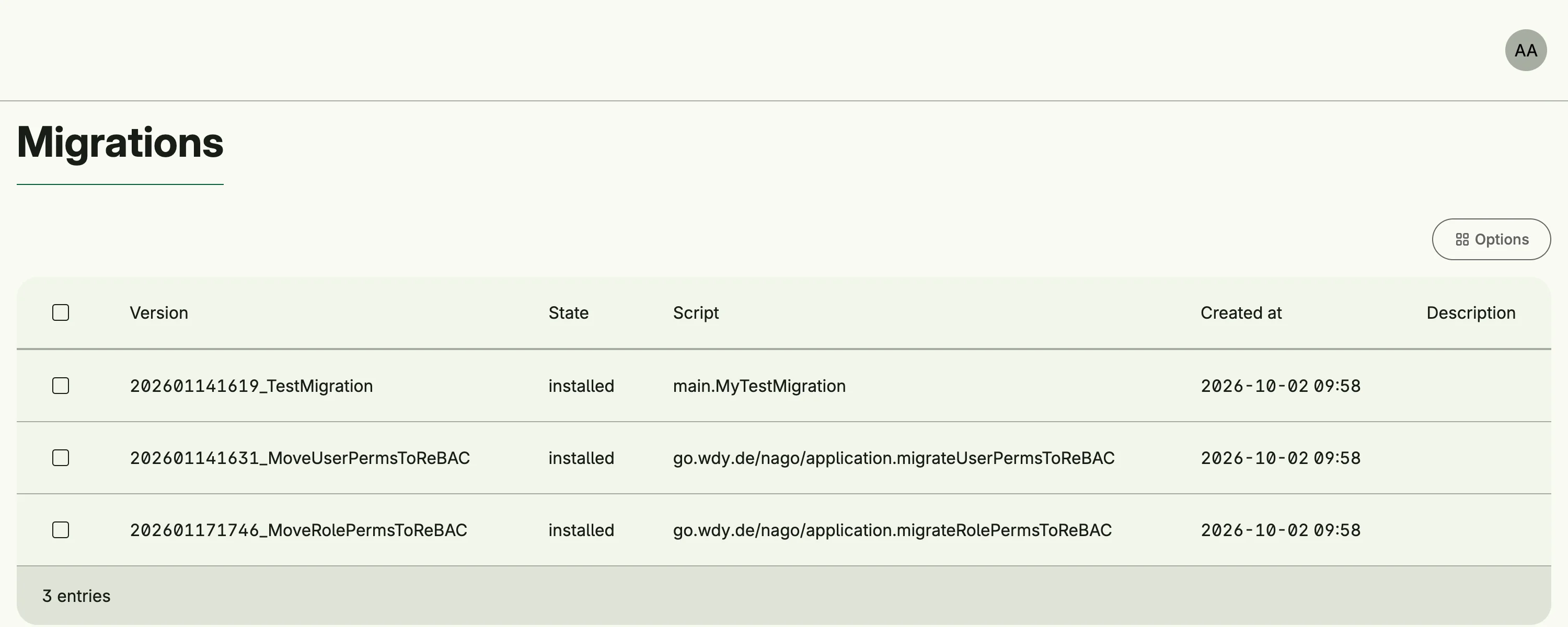
admin/migration/overview lists all migrations with their status. The admin center shows the card
Overview in the group Migrations.
Related
- Tutorial: resource based access declares a migration.