Requirements (Speclink)
Speclink makes the requirements of your application browsable at runtime. Requirements are written as Go
files with spec.Declare from github.com/worldiety/speclink/spec and compiled into the binary; only the
requirement packages which are linked appear. Administrators browse them in the admin center, and the
AI assistant can read them through tools.
Enable
import cfgspeclink "go.wdy.de/nago/application/speclink/cfg"

spec := std.Must(cfgspeclink.Enable(cfg)) // cfgspeclink.Management
The optional cfgspeclink.Options{SourceDocuments: fsys} adds the documents the requirements were derived
from, usually an embed.FS. cfgspeclink.Management has the fields UseCases speclink.UseCases and
Pages uispeclink.Pages with the path Requirements. Speclink declares the system role
Requirements Reader.
Use with the AI assistant
aispeclink.Tools(spec.UseCases) from go.wdy.de/nago/application/speclink/ai returns tools to list and read
requirements, capabilities and source documents; aispeclink.Index(subject, spec.UseCases) returns an index
for the system prompt.
Use cases
| Use case | Description |
|---|---|
FindAllRequirements | Lists the requirements, filtered and limited by their disclosure level. |
FindRequirementByID | Loads a requirement. |
FindAllCapabilities | Lists what the binary can do, derived from the bindings to the requirements. |
FindSourceDocument | Loads a source document. |
Permissions
| Permission | Allows to |
|---|---|
nago.speclink.requirement.find_all | list requirements |
nago.speclink.requirement.find_by_id | read a requirement |
nago.speclink.capability.find_all | list capabilities |
nago.speclink.source.find_by_id | read source documents |
nago.speclink.requirement.read_internal | read internal, not only public, requirements |
The system role nago.speclink.reader contains the four find permissions, but not read_internal.
UI
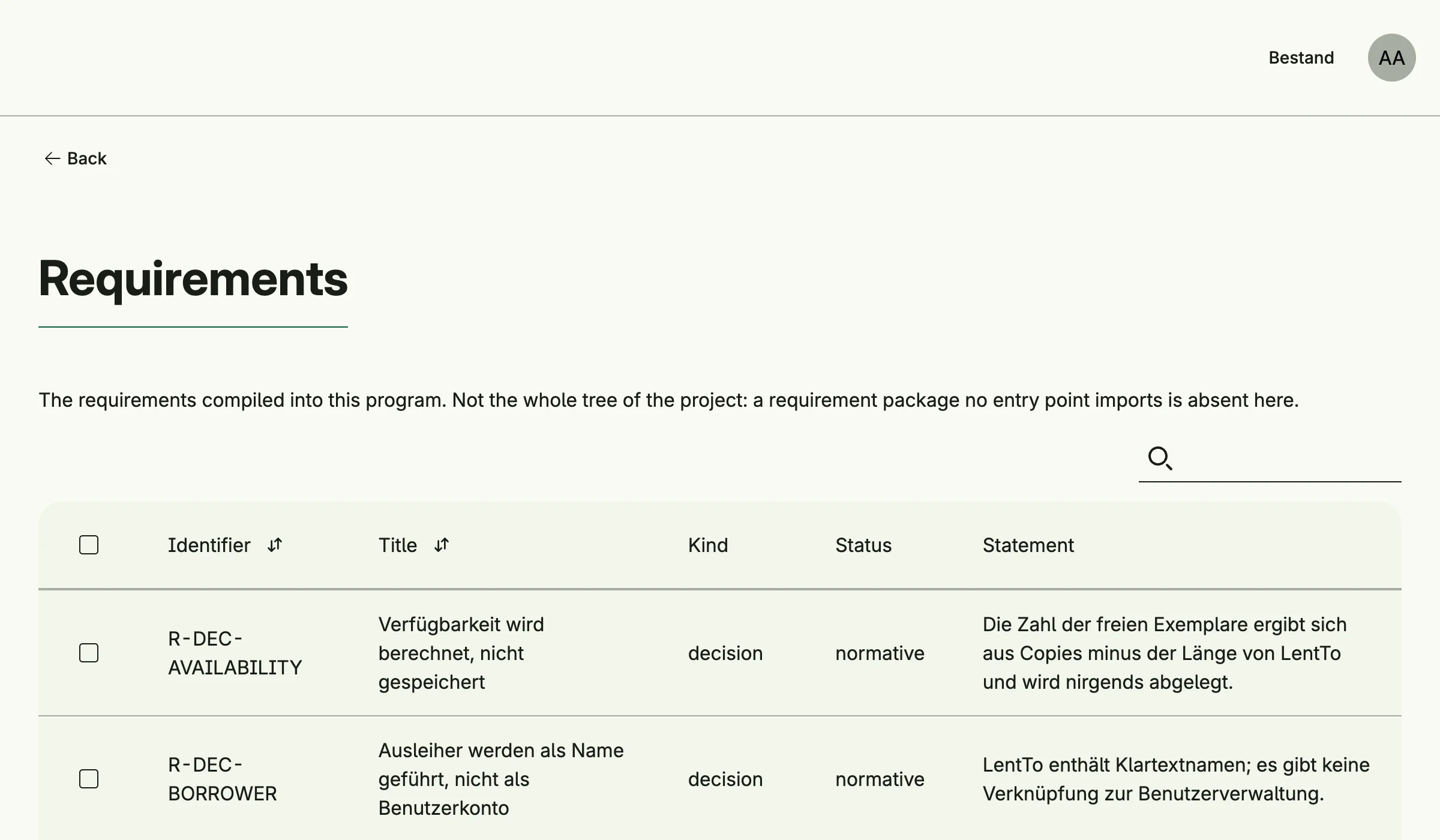
admin/speclink/requirements lists the requirements. The admin center shows the card Requirements in the
group Specification.
Related
- speclink explains the requirement files and the tool which checks them.
- Tutorial: AI assistant declares requirements and binds them to code.